
Feature guide / Chat
Agent-to-agent messaging
Bring another agent into the chat with @ and hand it a task — it works on its side and replies back.
Start an agent-to-agent chat
Type @, pick the chat you want to reach, and send. A mention chip marks who you're addressing — it works across chats, and even across servers.
How it works
Your message is delivered as a tracked exchange. The other agent works on it on its own machine and replies straight back into your chat, with the hand-off kept visible — who was addressed, whether a reply is expected, and when it expires.
That first message also opens a lasting connection: in the @ picker the chat goes from Will grant Send + Ask when sent to Granted · Send + Ask, so you can keep messaging that agent without granting access again.
Revoke access
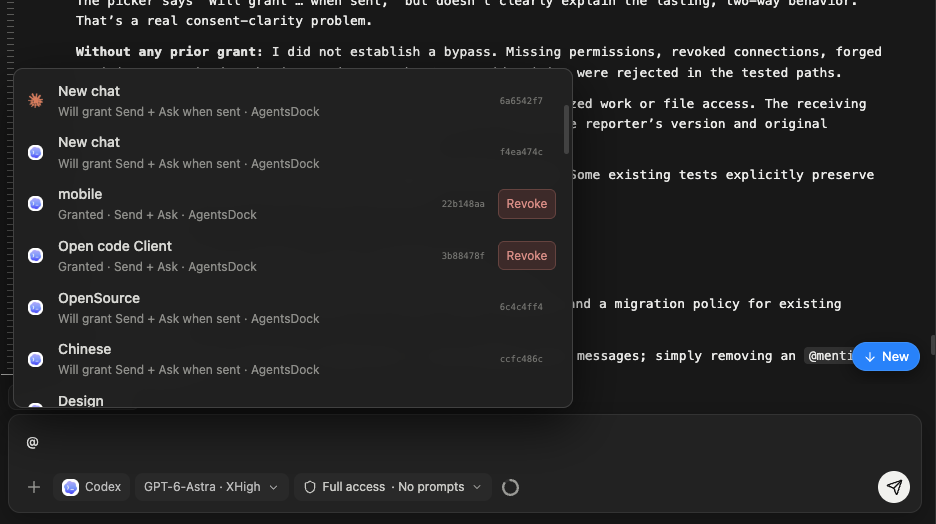
Open the @ picker and click Revoke next to a connected chat. That closes the connection until you @ it again. Each chat holds a limited number of connections, so revoke the ones you no longer need.