
AgentsDock
Home Docs FAQ Discord
  • English
  • 简体中文

Getting started

Setup guide Client install Connect agents Start your first chat

Guides

Feature guide Chat Agent-to-agent Share Chat Side chat Fork chat Resume chats Workspace Terminal access View & edit code Automation Slash commands Scheduled jobs Keyboard shortcuts Updates Language Manage your server

Help

Report an issue

Server reference

Advanced install Multiple servers Back up & uninstall

Feature guide / Chat

Share Chat with a link and token

Create a protected browser share: view-only for a fixed log, or interactive when you want a trusted person to work in the live chat with you.

Choose Share Chat from the chat's context menu, pick View only or Interactive, then send the generated link and access token to the person you're inviting. The demo below hides the live share address and token fields.

Create a protected share from the chat menu. The demo redacts the actual link and token.

Open the shared page

The recipient opens the shared URL and enters the access token. They can remember the token in that browser, and access lasts until the share expires or you revoke it.
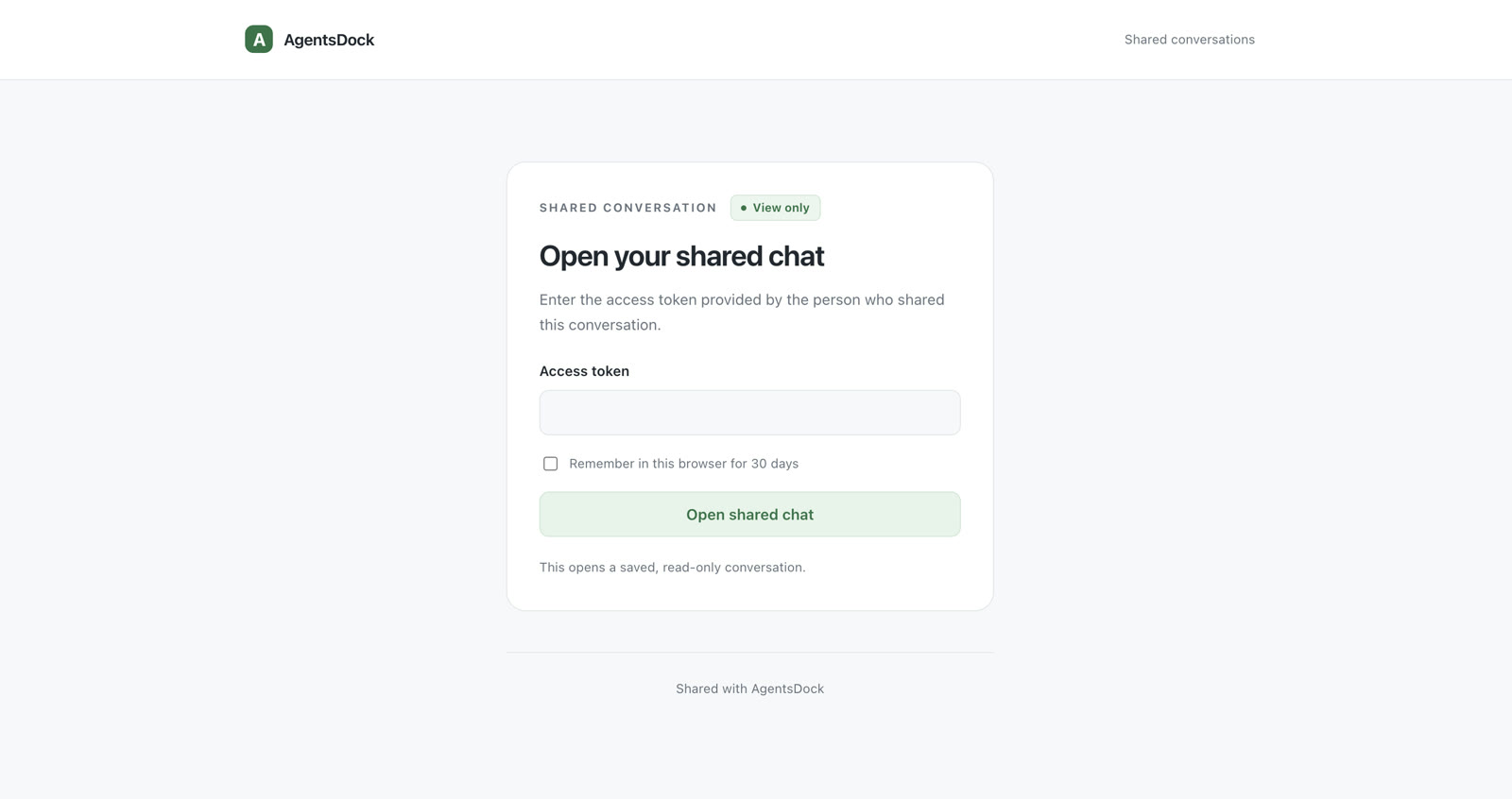
AgentsDock shared conversation page asking for an access token before opening the shared chat
The shared page stays locked until the recipient enters the token you sent them.

Revoke anytime

Existing shares remain under the original chat. Open Share Chat again and click Revoke whenever a link should stop working.
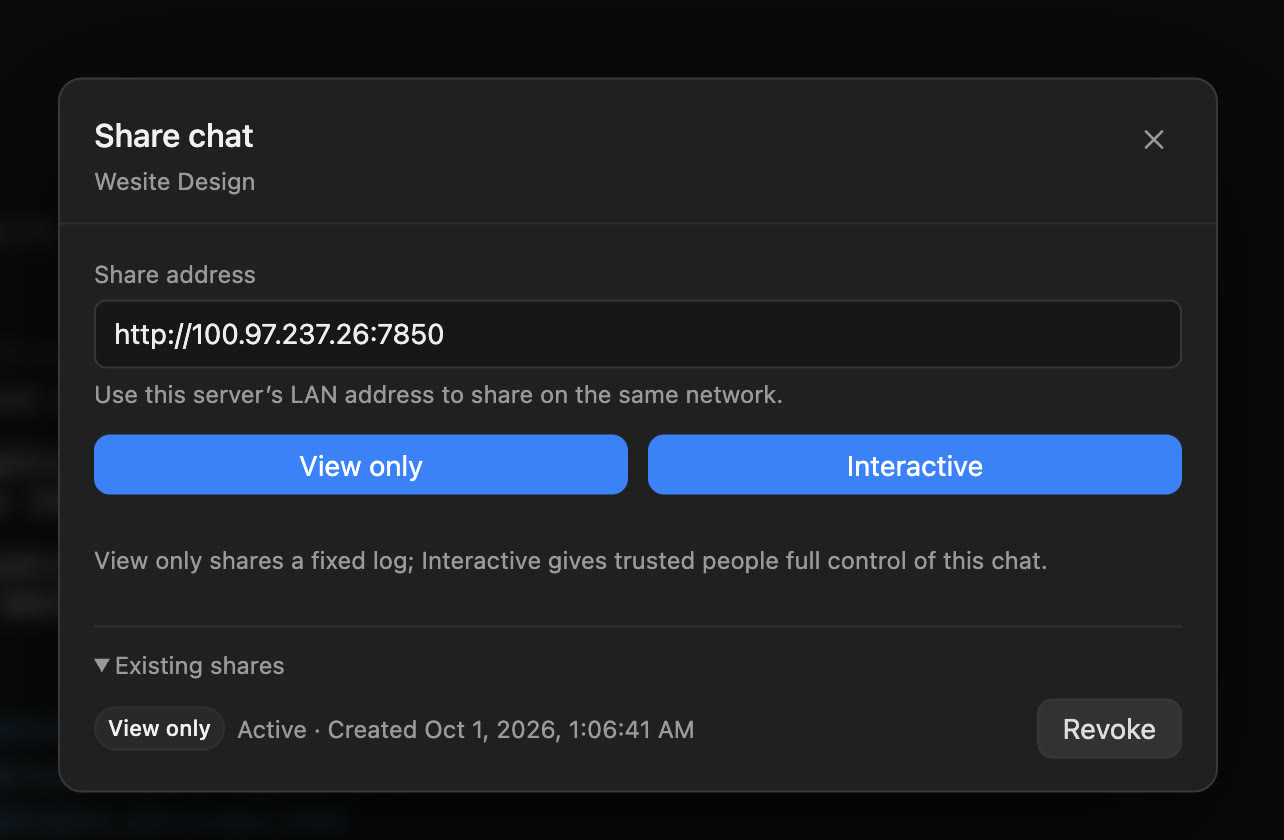
AgentsDock Share Chat dialog showing an existing view-only share with a Revoke button
Each existing share shows its mode, status, creation time, and revoke button.

Work together in the browser

View-only shares open a saved conversation. Interactive shares open a live shared chat where trusted people can send messages, attach images, and continue the same session from a browser.
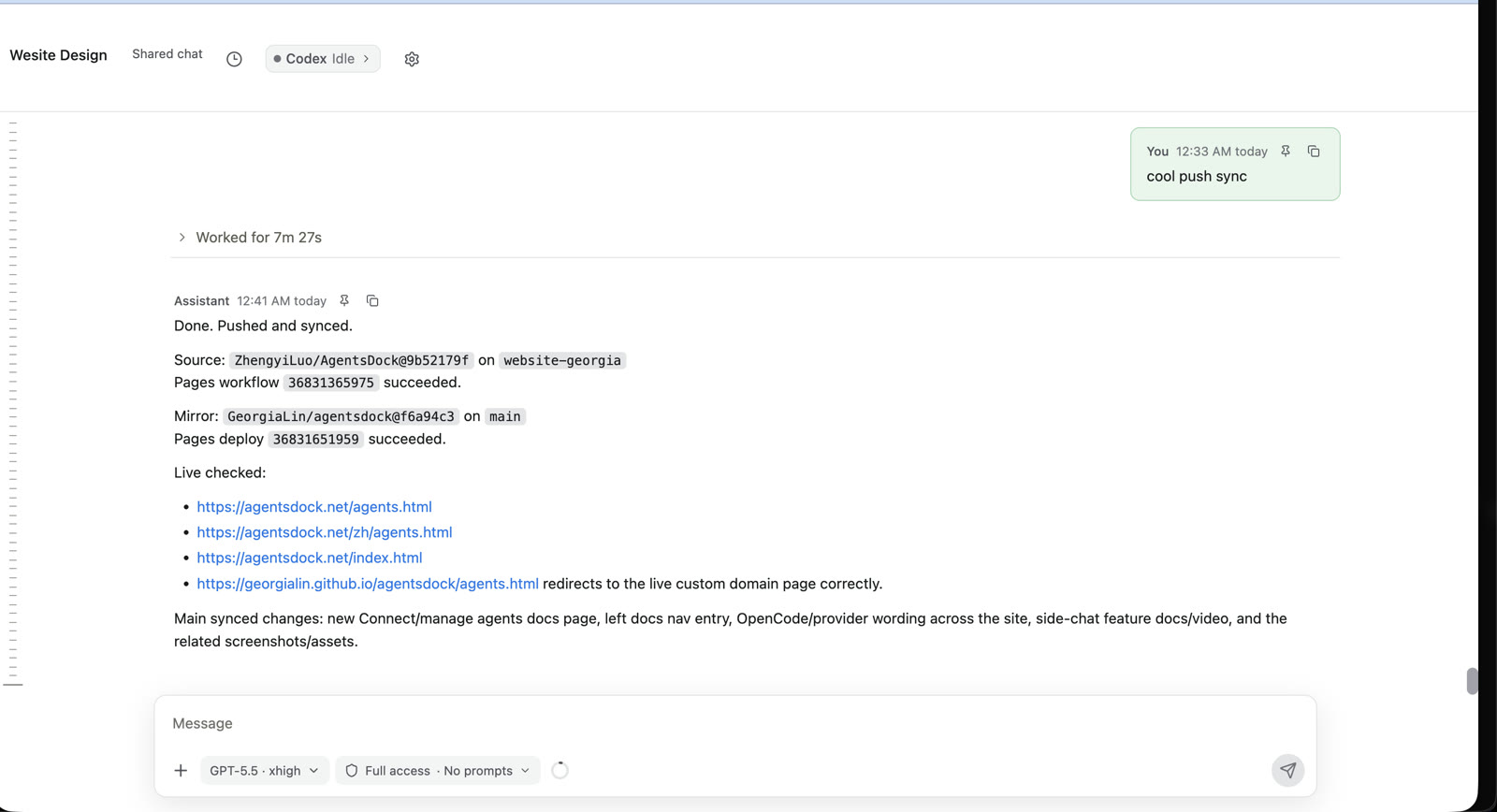
AgentsDock interactive shared chat page in a browser with the conversation and composer visible
Interactive shares let trusted people continue the conversation from the shared page.
Feature guide Previous: Agent-to-agent Next: Side chat
AgentsDock

An IDE designed for agentic AI research.© 2026 AgentsDock

Docs Support Report an issue Privacy Discord ↗