
Docs
Language
AgentsDock is available in English and Simplified Chinese. Pick the one you want, or let the app follow your system language.
Change the app language
- Open Settings (⌘, on Mac, Ctrl, on Windows and Linux).
- In the General section, find Language.
- Choose Follow system, English, or 简体中文.
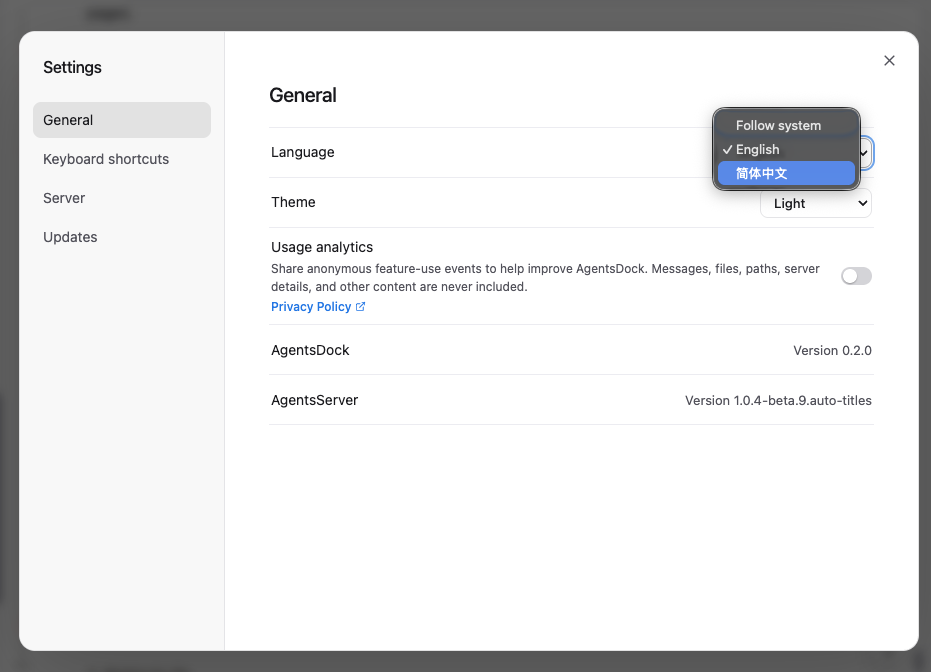
Follow system matches the language your operating system is set to, so the app changes with it.
Supported languages
- English
- 简体中文 (Simplified Chinese)
This documentation is available in both languages too — use the EN / 中文 switch at the top of the sidebar.